Play Sequence Notes
- Play Sequence Notes
- Tempo — Playback speed from 1 to 480.in steps of 5
- Repeat — How many times the sequence plays.
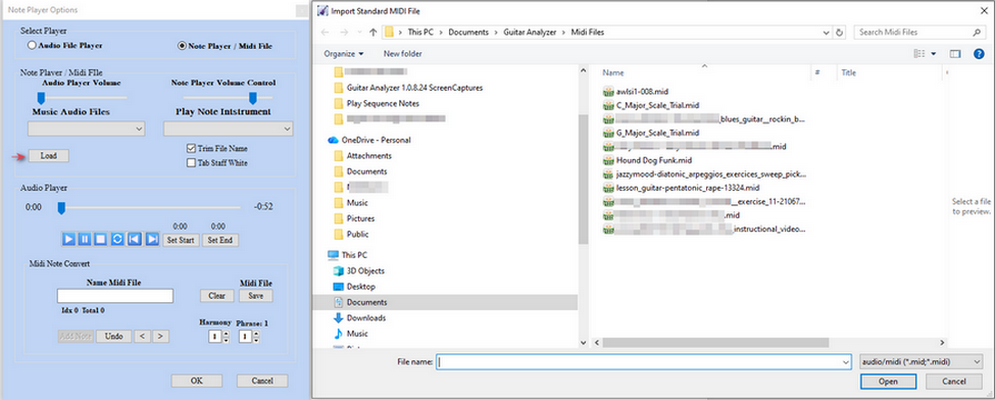
- Midi File - Load Midi File to the Note Player
- Sequence menu — Pattern to play on the current fretboard selection.
- Tablature — Update live tab while the sequence plays.
- Saved Sequences — Show named database sequences instead of raw number patterns.
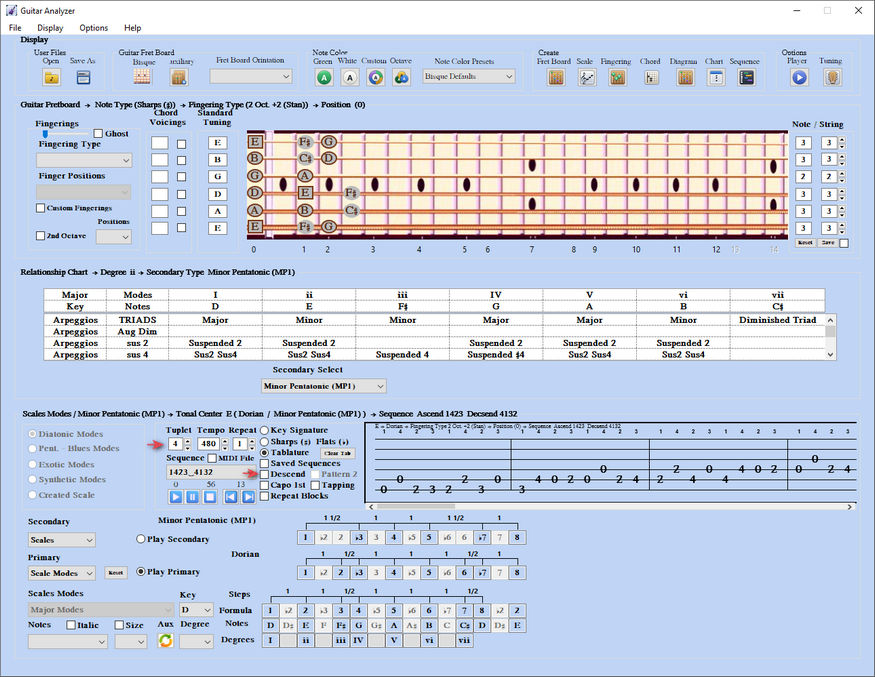
- Descend — Play the ascending pattern (1423) then Pattern 2 (4132) descending in the fingering.
- Capo 1st — Play only the first note on each string, which shortens the sequence.
- Tapping - For Note / String wider then a 5 fret span
- Play, Pause, Stop, Step Backward, Step Forward — Transport.
- Index — Left number is the note being played; right number is the total count (for example 0 of 112).
- Play Primary — All notes in the fingering (bordered and not).
- Play Secondary — Bordered secondary scale, arpeggio, or chord notes only.
- Midi File - Load PopUp Menu Play Midi File imported or created
- Repeat Blocks - Isolate note group outlines parts for easier learning. Step forward and backwards with block index and can control repeat.
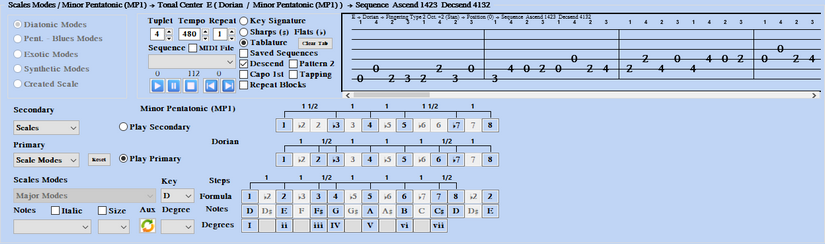
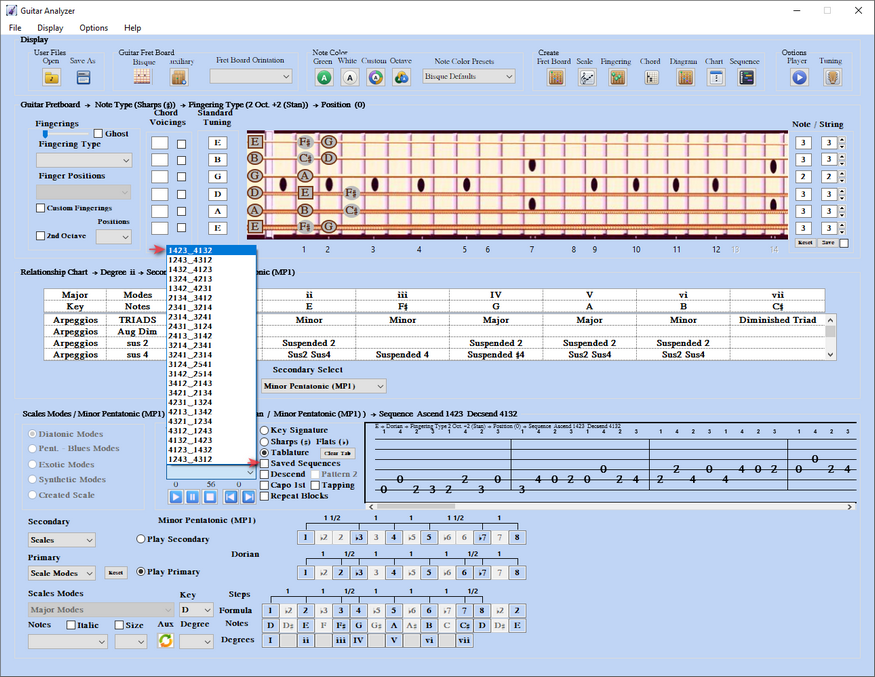
Set Tuplet to 4 (range 3 to 8, 6 note total up to 8 with repeat notes). Choose a quadruplet sequence such as 1423_4132. Leave Descend unchecked for ascend only.
Add Descend with Pattern2
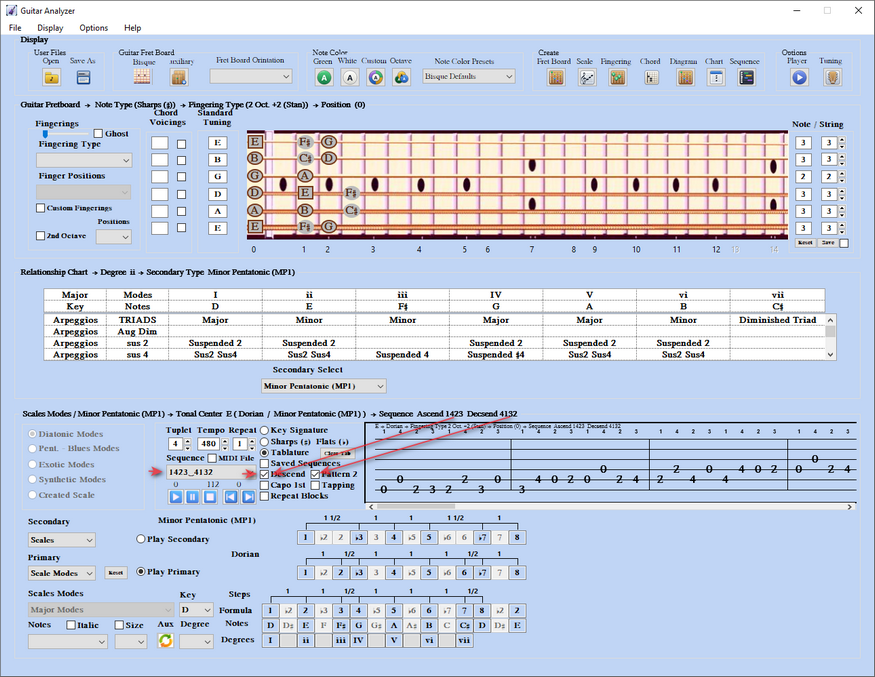
Selecting a unsaved sequence pattern
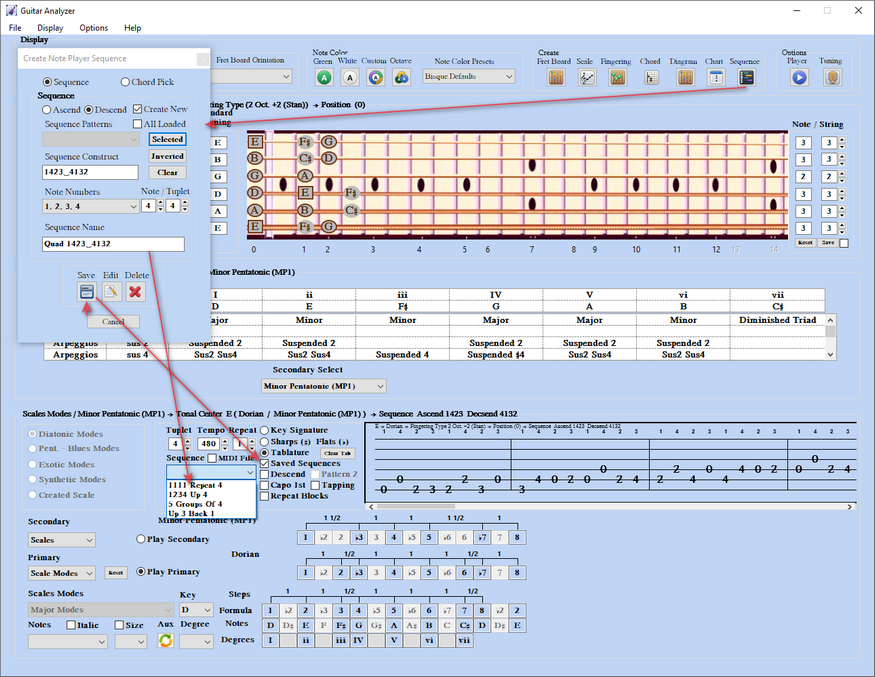
A sequence can be saved with unique name in the Create Player Sequence Window for quick access and recall
2) Isolate sequence blocks
Step Forward 0, 1, and 2 isolate repeat/capo blocks so you can hear one section at a time.
Block 0 - Ascend only 0-13 blocks, Descend only 13-0 total block.
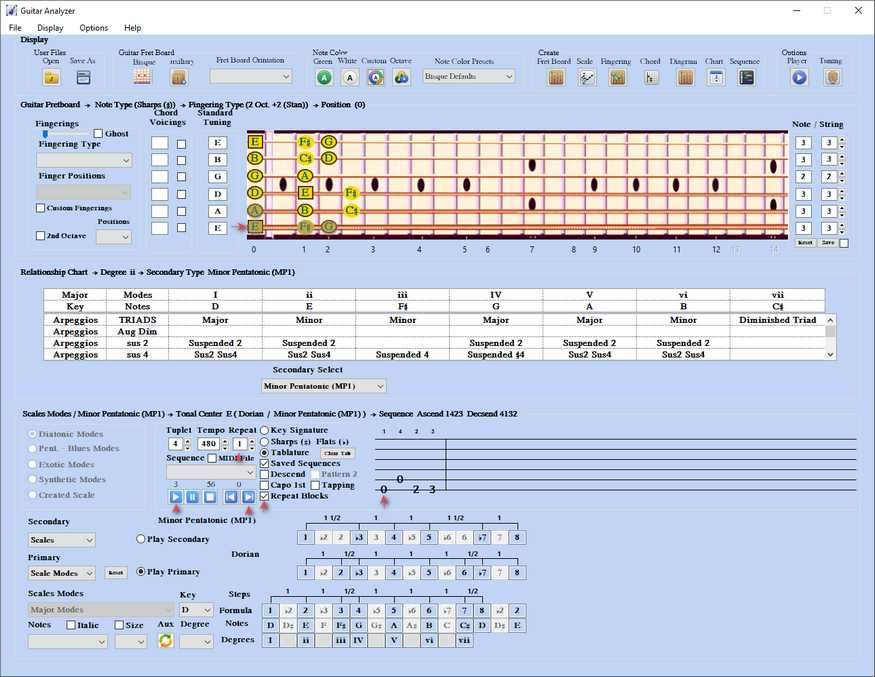
Block 1
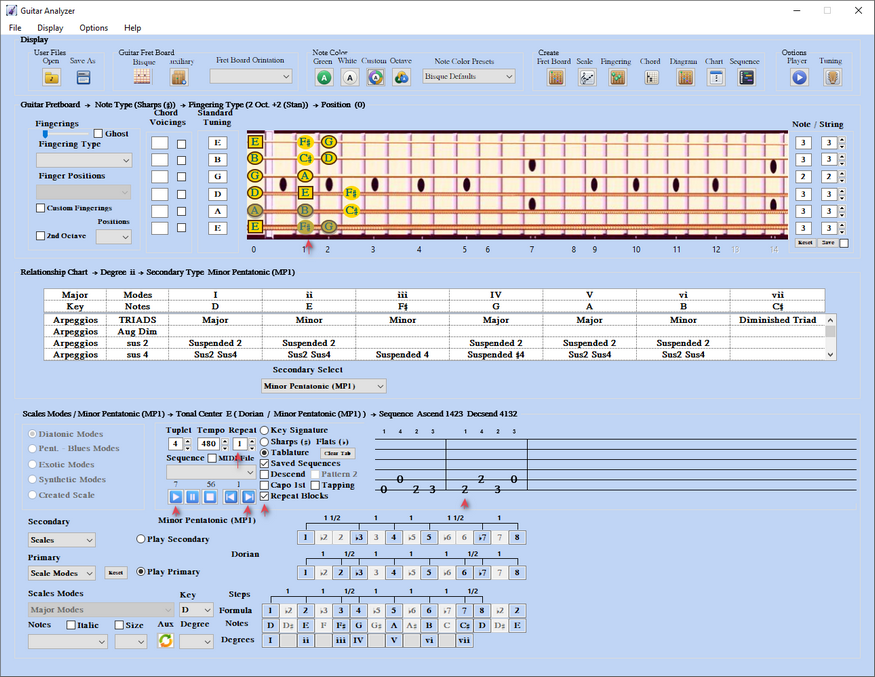
Block 2
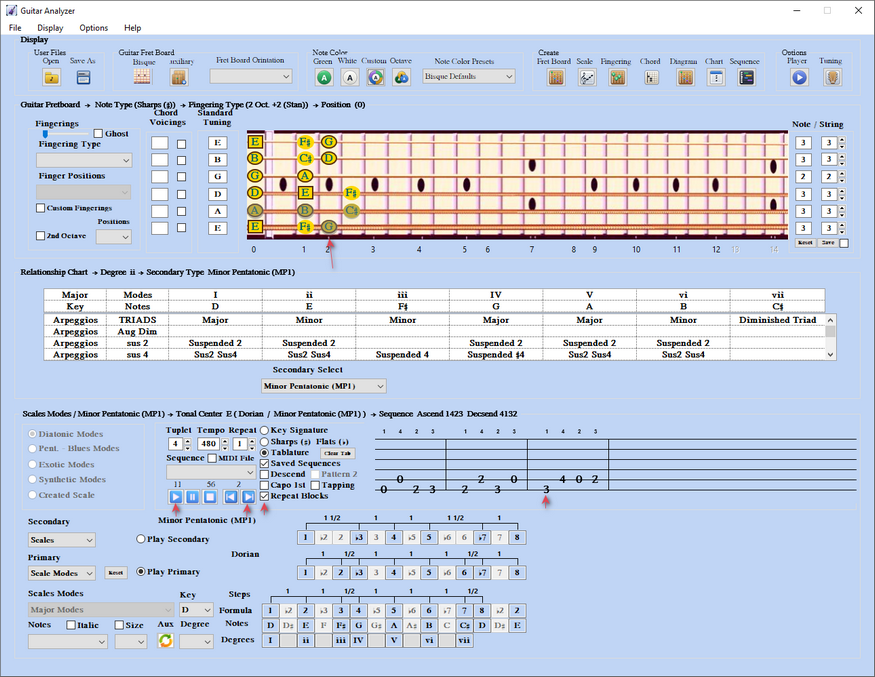
3) Player controls
Tuplet — 3 triplet, 4 quadruplet, 5 quintuplet, 6 sextuplet.
4) Note Player Setup
Open Options > Note Player Setup. Note Time Duration sets how long each sample sounds.
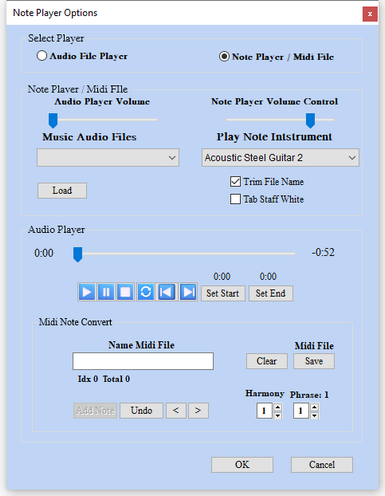
Sequence and Midi File Note Player. > Note Instrument audio sample selection > Audio Player Volume Control
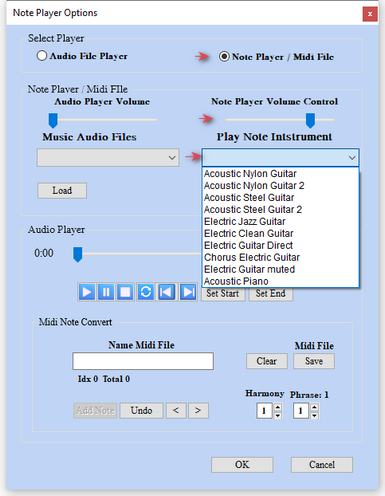
Load Imported or Created Midi File